Live productProduct demo · real estate
PlazaPro: sell every unit in a plaza, and collect every installment, from one system.
Plazas in Pakistan are sold on installment plans, and most sales offices still run them on a spreadsheet, a receipt book and a WhatsApp group. PlazaPro replaces all three: the unit inventory and price list, every buyer’s registration and installment ledger, receipts, statements, allotment and transfer letters, booking requests and leads, and the project’s own website with live availability and online ownership checks. It is in production today. The demo below runs the same product on an invented plaza, and the guided run performs every step as it explains it.
In production
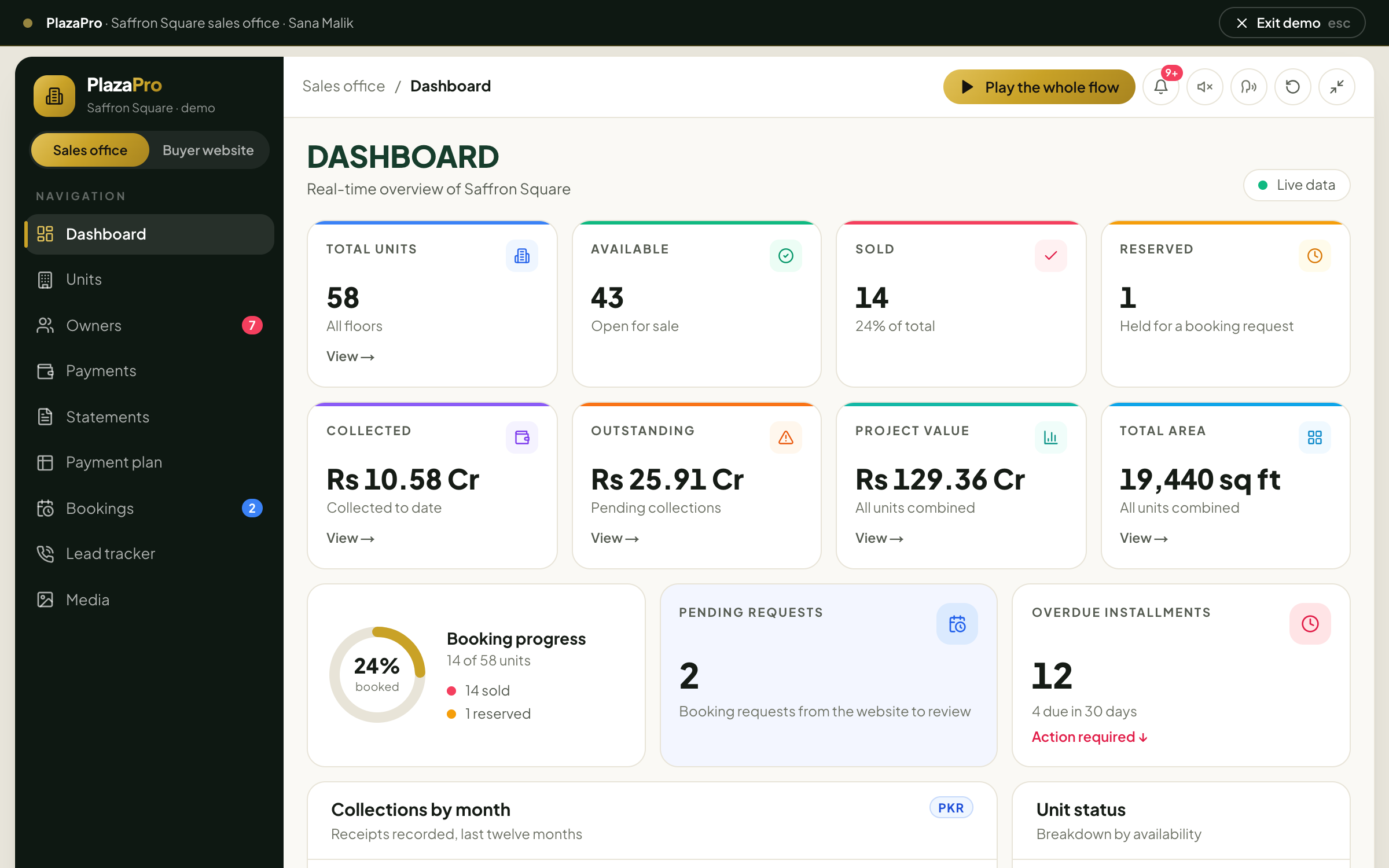
Running today at One Capital Builders’ 7Sky plaza, Islamabad.
- The project
- 7Sky Commercial Plaza, Plot 18-A, G-14 Markaz, Islamabad: a seven-floor plaza, shops on the lower ground and ground floors, offices above.
- The plan it sells on
- 25% down, the balance over 14 quarterly installments across three and a half years, with a final payment on possession.
- What PlazaPro runs
- The sales office behind the project, and the public site’s live floor plan, booking requests, Call Now and WhatsApp tracking and Verify Ownership page.
- What stays private
- Owners, CNICs, receipts and balances. This page and the demo show none of them; the demo’s plaza and buyers are invented.
The flow
From a tap on the floor plan to a verified owner.
Every unit takes the same path through PlazaPro, and every step leaves a record the next one reads.
- 01
Found
A buyer picks a unit on the website’s floor plan and sends a booking request, or presses Call Now or WhatsApp.
- 02
Reserved
The office sees the request under Bookings and holds the unit; the website marks it reserved at once.
- 03
Registered
The buyer is registered on the unit: a registration number, the price from the plan, any discount.
- 04
Scheduled
The ledger lays out the down payment, the quarterly installments and the payment on possession.
- 05
Paid
Each receipt is recorded and allocated; part payments and advances are tracked, never guessed.
- 06
Reminded
Overdue installments show on the dashboard and go out as WhatsApp or SMS reminders.
- 07
Documented
Statements as of any date, allotment and transfer letters, a resale recorded with its history.
- 08
Verified
The buyer checks their own file online with the registration number from the letter.
Every feature
What PlazaPro does, module by module.
This is the feature list of the live system, as it runs for One Capital Builders, plus the new construction-expense module. The demo shows each of these on invented data.
Dashboard
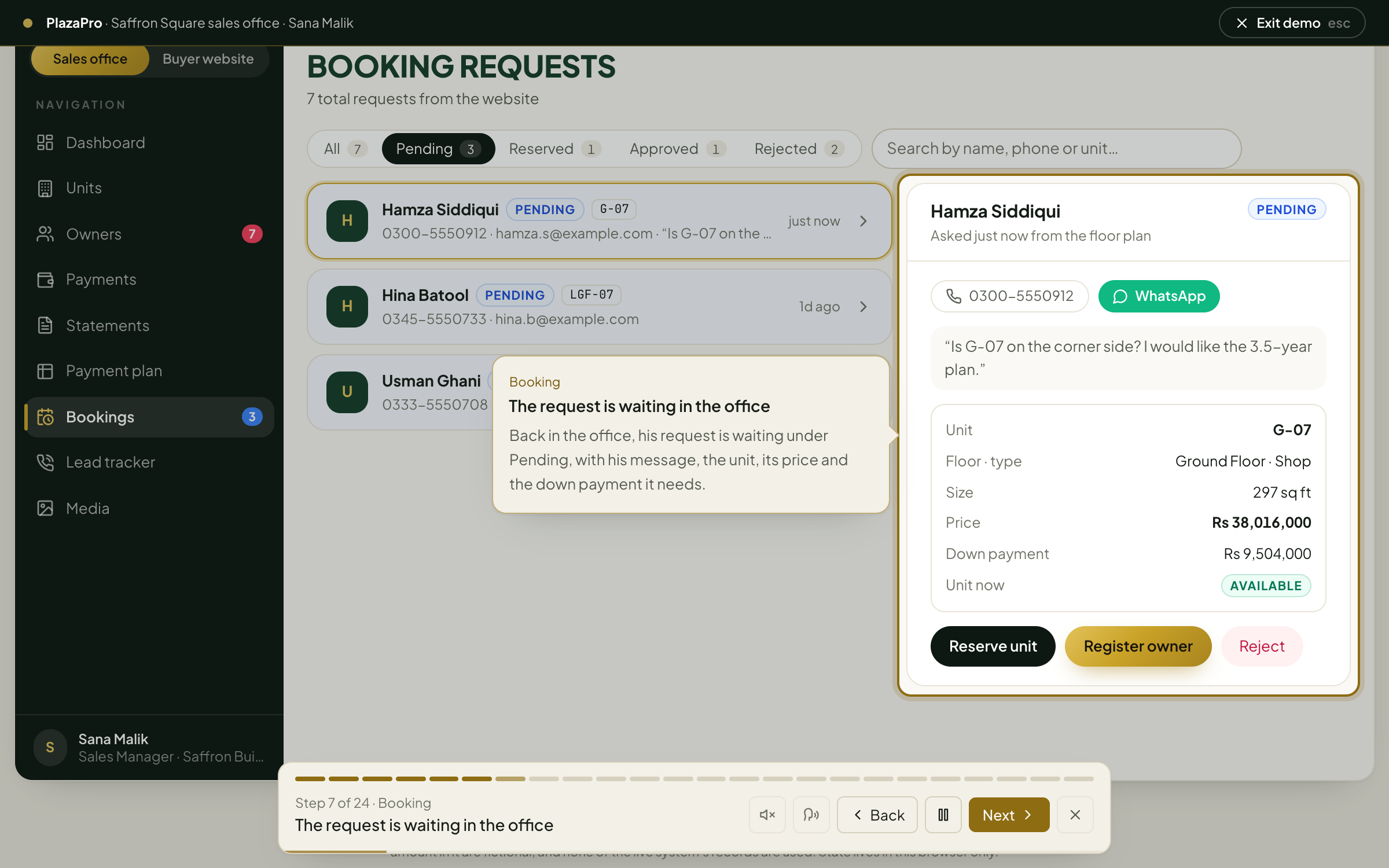
The whole project on one screen, live.
- Total units, available, sold and reserved
- Revenue collected, outstanding collections, project value and total area
- Booking progress ring, pending booking requests
- Overdue installments, and installments due in the next 30 days
- Revenue by month and unit-status charts
- Installment alerts with Remind and Remind all overdue
- Due-payment alerts: each owner’s total, paid, pending, progress and next due date
Units and inventory
Every shop and office on every floor.
- Unit number, floor (lower ground to the top floor), shop or office, size and price
- Owner and status: available, reserved or booked
- Filter by floor and status, search
- Add, edit and delete units; book a unit or cancel a booking
- Export to CSV
Owners and registrations
The register of who owns what.
- A registration number generated for every owner
- Name, CNIC, phone, resident of, unit and discount
- Total amount filled in from the payment plan
- Paid, pending and progress, with the next due date and an overdue flag
- Owner photo, payment history and ownership history
- Overdue count on the menu; export to CSV
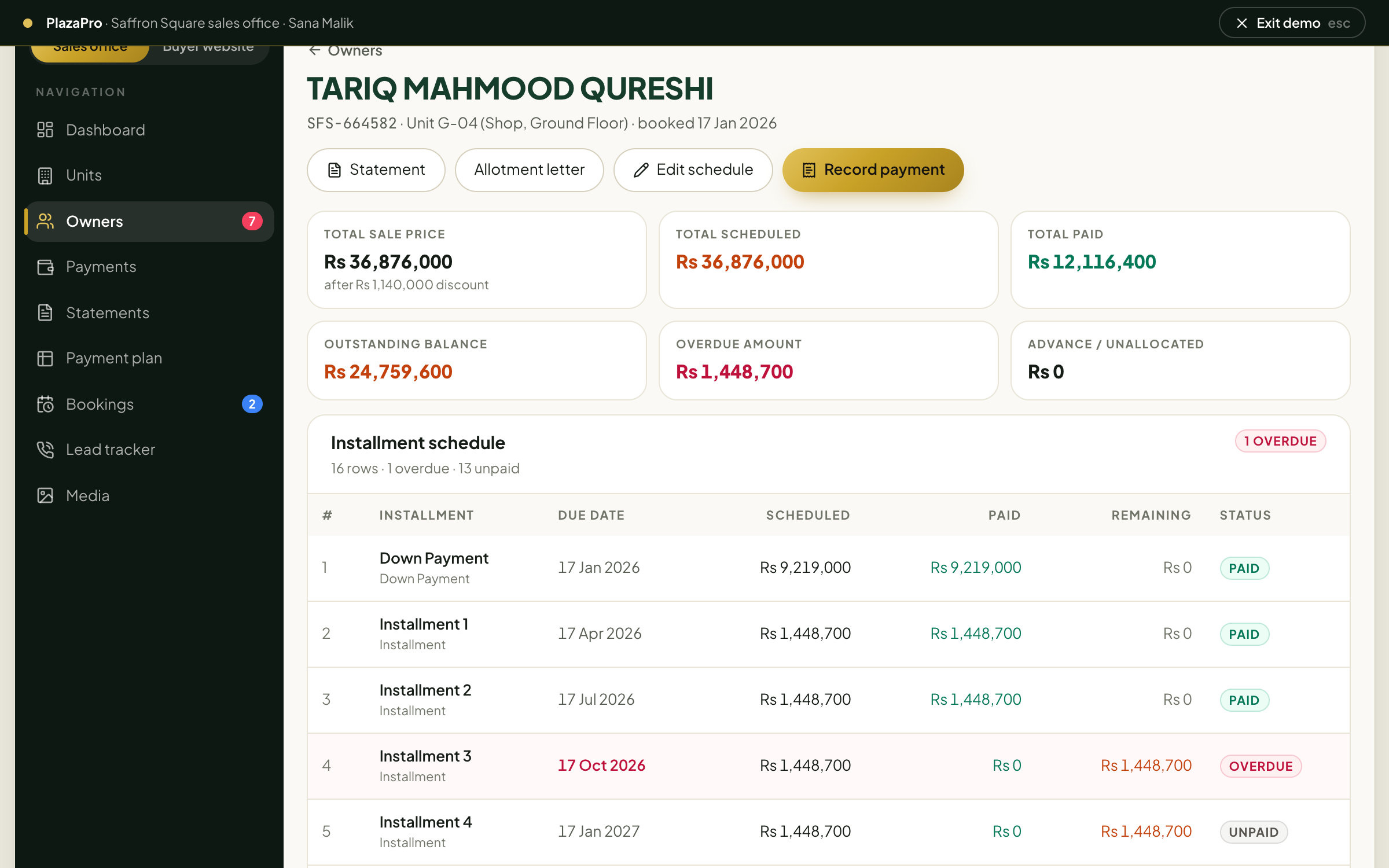
Installment ledger
One page per owner, worked out from the receipts.
- Sale price after discount, total scheduled, paid, outstanding, overdue, and advance or unallocated
- A warning when the schedule stops adding up to the sale price
- Down payment, installments, possession and other charges, each with its due date
- Status per row: paid, part paid, overdue, unpaid or waived
- Schedule editor: type, label, date, amount, waive or adjust, notes, reorder, add rows, generate rows from the plan
Payments and receipts
Every rupee in, allocated where it belongs.
- Cash, bank transfer, cheque, pay order or online, with receipt number, cheque or reference, and notes
- Allocation to installments: oldest first, fill a row, part-pay one, carry forward
- Anything left over held as advance
- Payments register searchable by owner, unit, receipt or cheque
- Edit or void a receipt; export to CSV
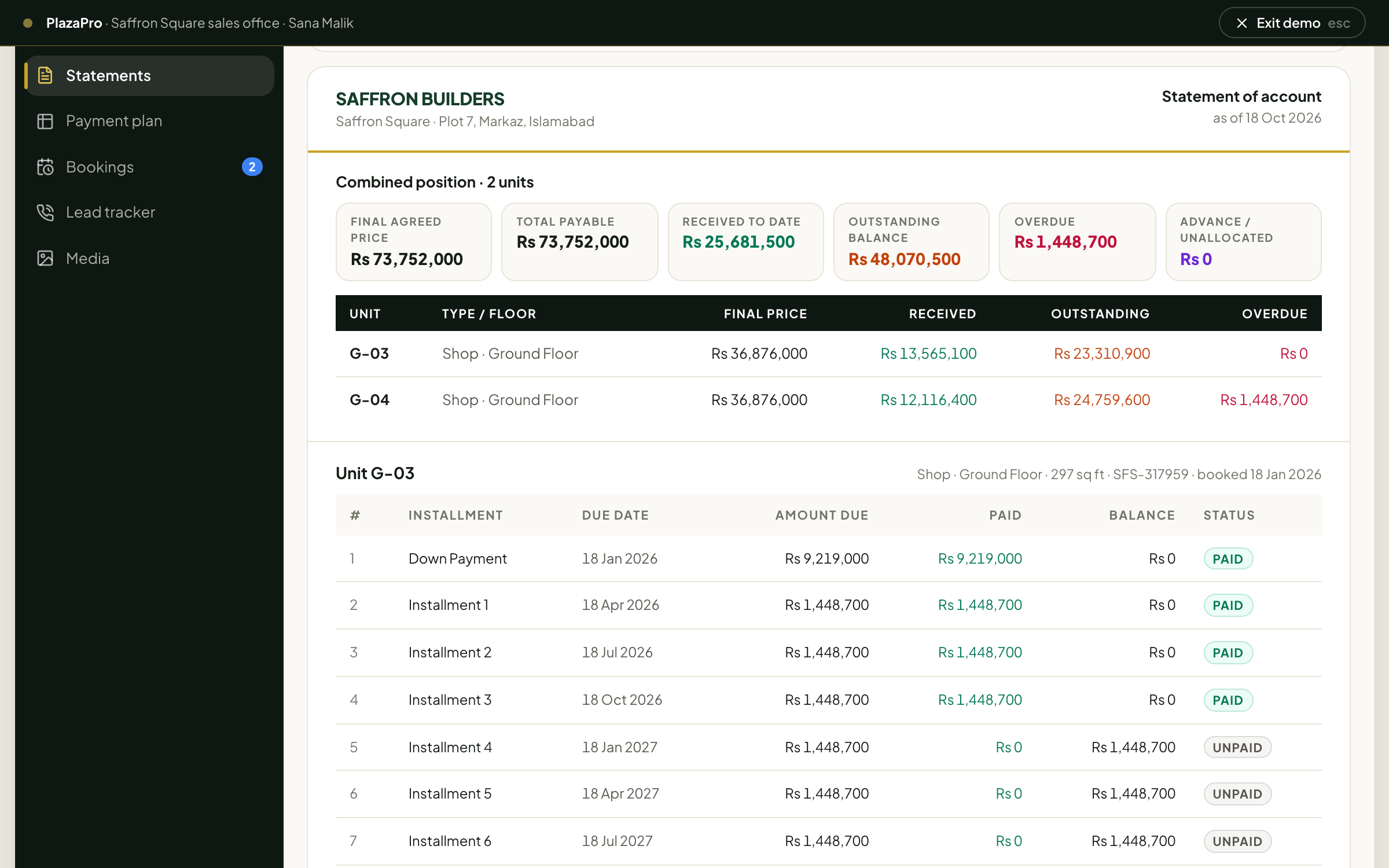
Account statements
What a buyer has paid and owes, as of any date.
- Client list with received, outstanding and overdue; filter to clients with overdue amounts
- Search by name, unit, CNIC, phone or registration number
- Statement for one unit, or one combined statement across all of a client’s units
- Period: all transactions, this calendar year, last 12 months or a custom range
- Balances as of the statement date, receipts with a running balance
- Preview the draft, print, or download a PDF
Transfers and letters
The paperwork, generated from the record.
- Transfer of ownership to a new buyer, with a note; the registration, receipts and remaining schedule move with the unit
- Ownership history of every unit
- Allotment letter and transfer letter for every owner
- A QR code on each letter that opens the buyer’s record on the website
Payment plan
The price list, floor by floor.
- Unit number, dimensions, area, price per square foot and unit price
- Down payment 25%, remaining 55%, quarterly installment and 20% on possession, worked out per row
- Click any cell to edit; add or delete rows; save one floor at a time; reset to defaults
- Replace each floor’s plan image, stored in the cloud
Bookings
Requests from the website, handled in order.
- Every booking request sent from the floor plan, with the unit, phone, email and message
- Tabs for pending, approved, reserved and rejected; search by name, phone or unit
- Pending requests counted on the dashboard
Lead tracker
Which marketing actually makes the phone ring.
- Call Now and WhatsApp clicks, unique people, total contact clicks and booking requests
- Clicks per day
- By button, traffic source, page, device and approximate city
- Latest clicks, with repeat visitors marked; 7, 30 or 90 days, or all time
Reminders and alerts
Nobody has to remember who is late.
- Installment alerts under the bell in the header
- WhatsApp or SMS reminders, per installment or to every overdue owner at once, through the provider the office connects
Media
Renders, plans and approvals in one library.
- Upload images, MP4 videos and PDFs for the website and the sales team
Construction expenses
New: the money going out, stage by stage.
- A budget for every stage of the works, from excavation to finishing, with planned dates
- Supplier and contractor bills entered against a stage and floor: item, quantity, unit, rate, bill number, notes and a photo of the bill
- Budget against actual for each stage, with work done as the site engineer reports it, and flags for over budget and spend ahead of work
- Paid in full, in part or on credit; one payment to a vendor settles their oldest bills first under one voucher
- Vendors and contractors with billed, paid and payable; labour retention kept back until the work is accepted
- Money in from buyers against money out to the site, month by month, and how much the developer is funding
- Spend by type of cost: materials, labour, contractors, machinery, MEP and lifts, design, approvals and site costs
- Project details: covered area, floors, structure, contractor, architect, engineer, approval number, start and planned completion
- Expense register with search, filters by stage, vendor, type and status, and CSV export
The buyer website
The public side, fed by the same records.
- Interactive floor plan for every floor with live availability: zoom, fit and filter by available, reserved or sold
- Each unit with its size and price, and a booking request form
- Payment plan, approvals and video pages; questions and answers written for search
- Call Now and WhatsApp buttons, every press counted in the lead tracker
- Verify Ownership: a buyer enters the registration number, or scans the letter’s QR code, and sees payment progress and the installment schedule
- Light and dark mode, on the website and in the office
The guided run
It shows itself, by doing it.
Twenty-seven steps, one unit from start to finish: a buyer finds a ground-floor shop on the website and asks for it; the office reserves it, registers him, lays out his schedule and records his first cheque; every overdue owner is reminded on WhatsApp; a client with two shops gets one statement; an allotment letter is printed and an office is resold; the buyer checks his own file online; a floor is repriced; a steel bill for the site is entered against its stage; and the leads are counted. It reads itself aloud unless you turn that off.
Screens
The ledger, the statement, the buyer’s side and the site’s costs.
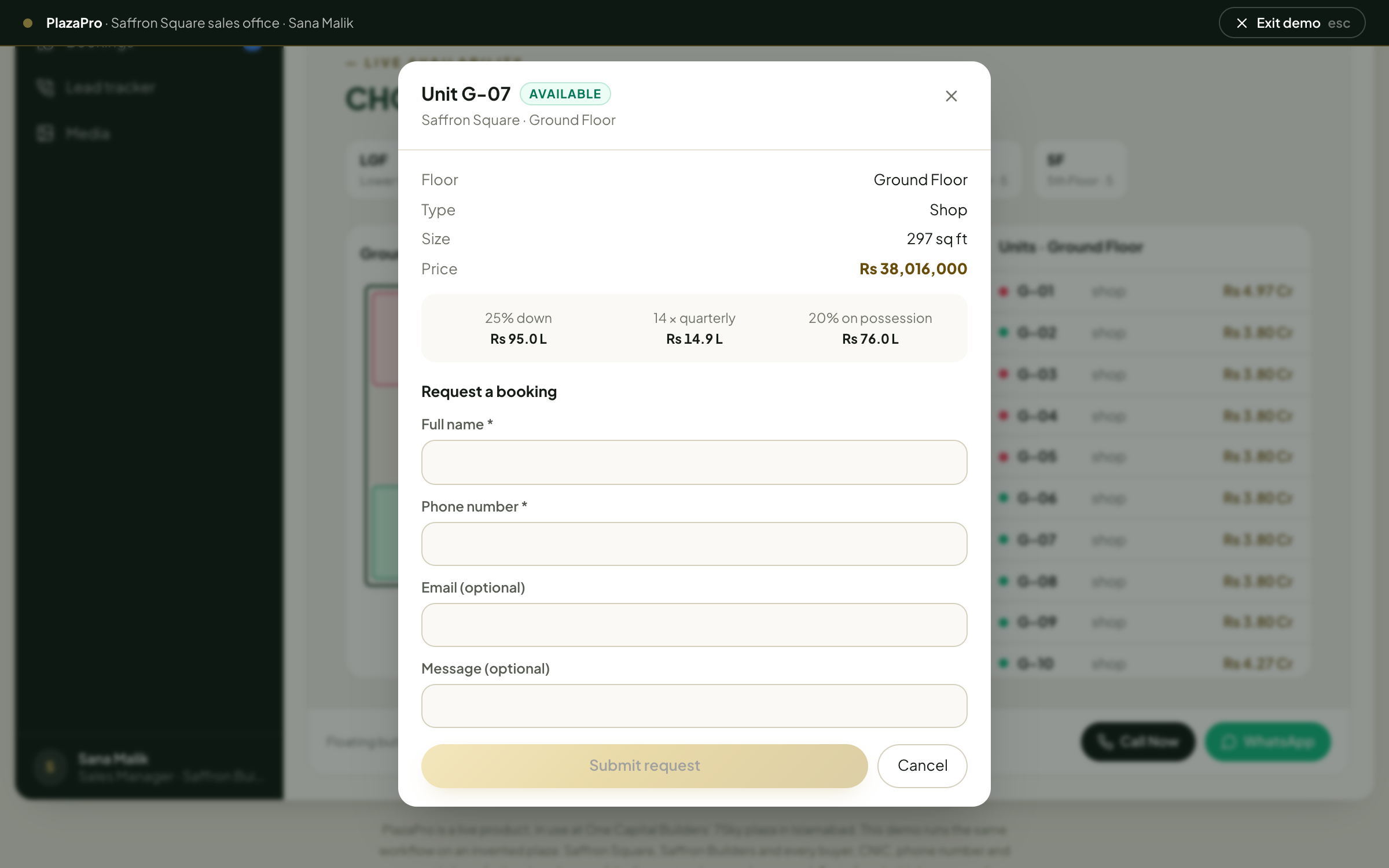
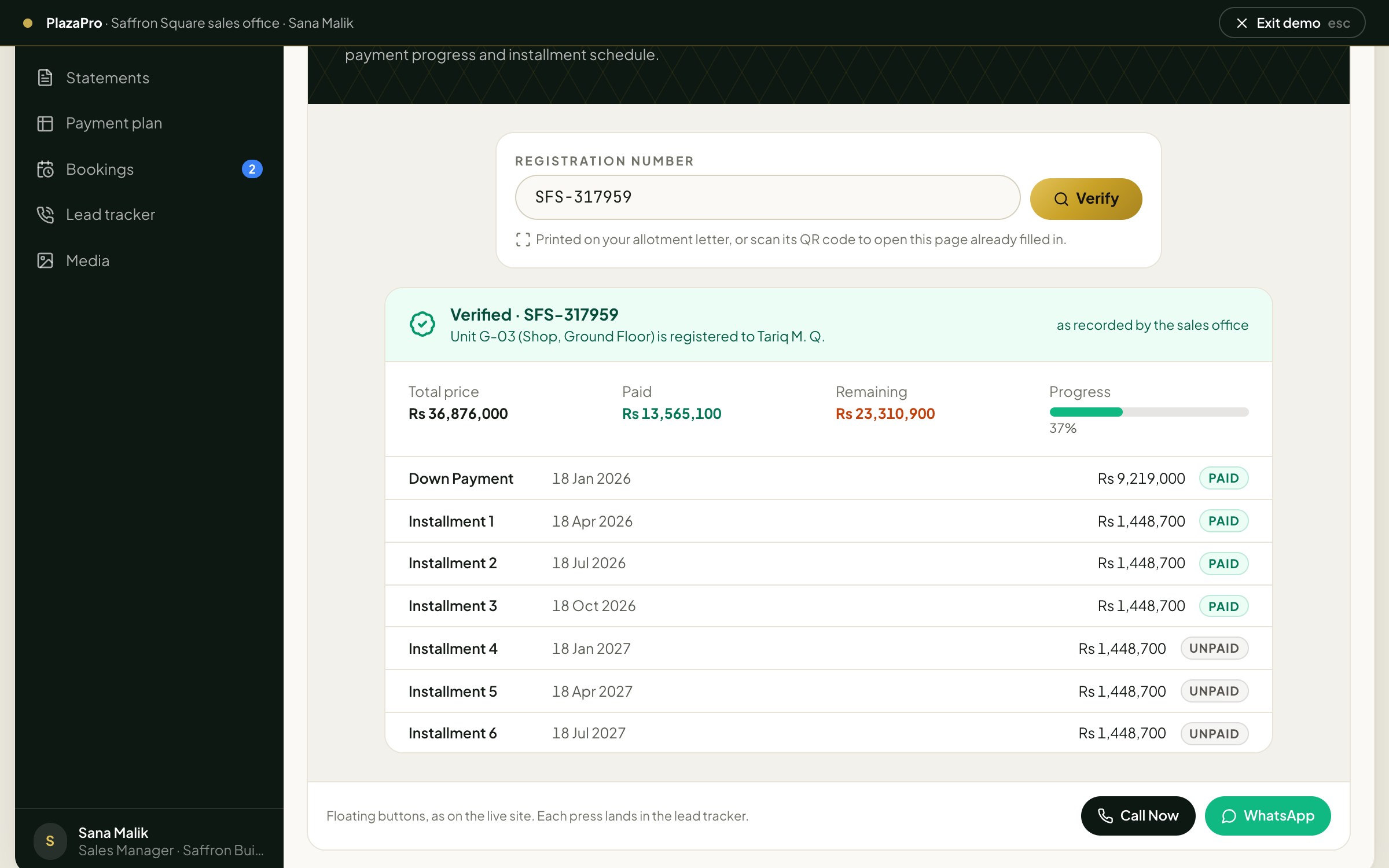
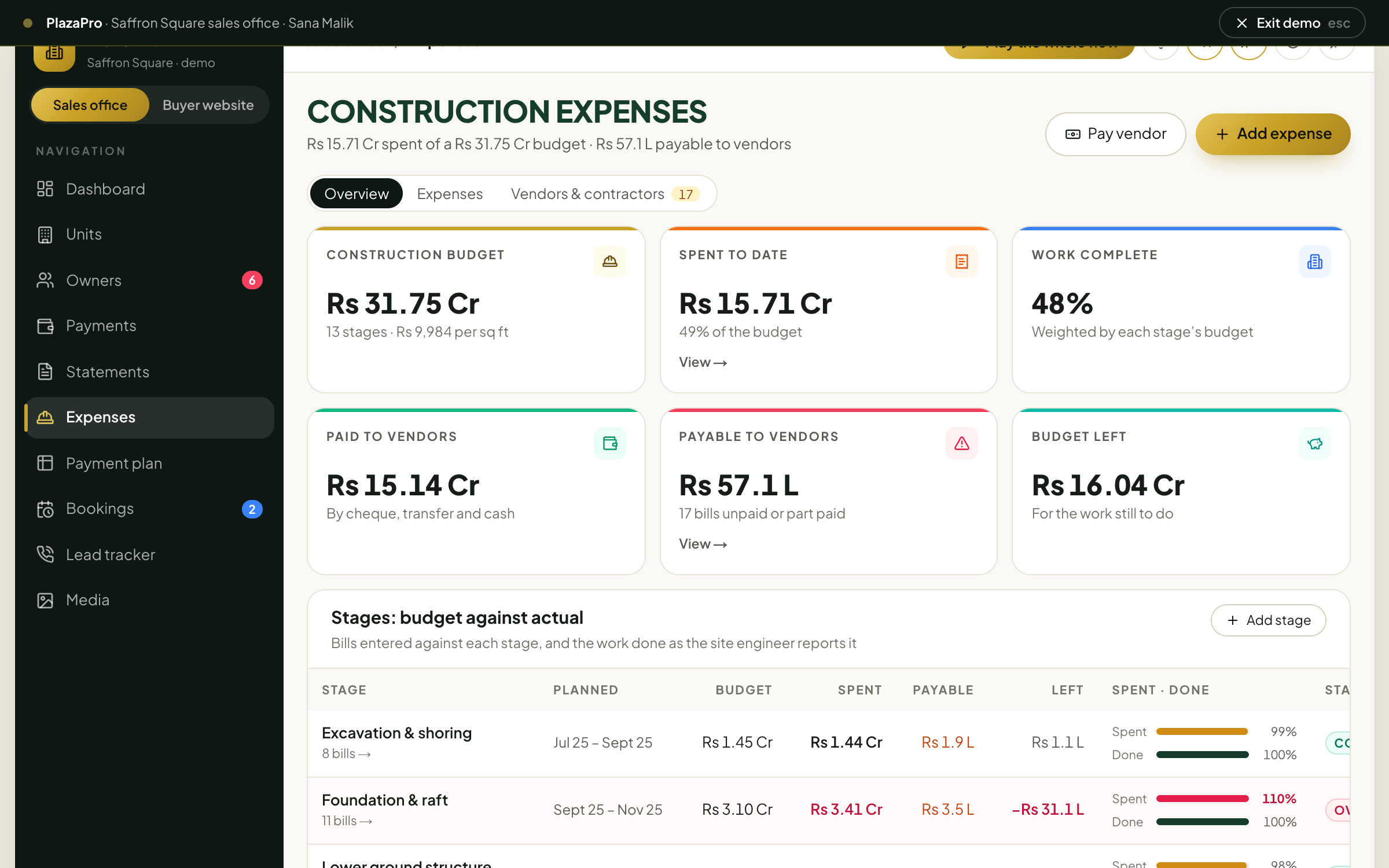
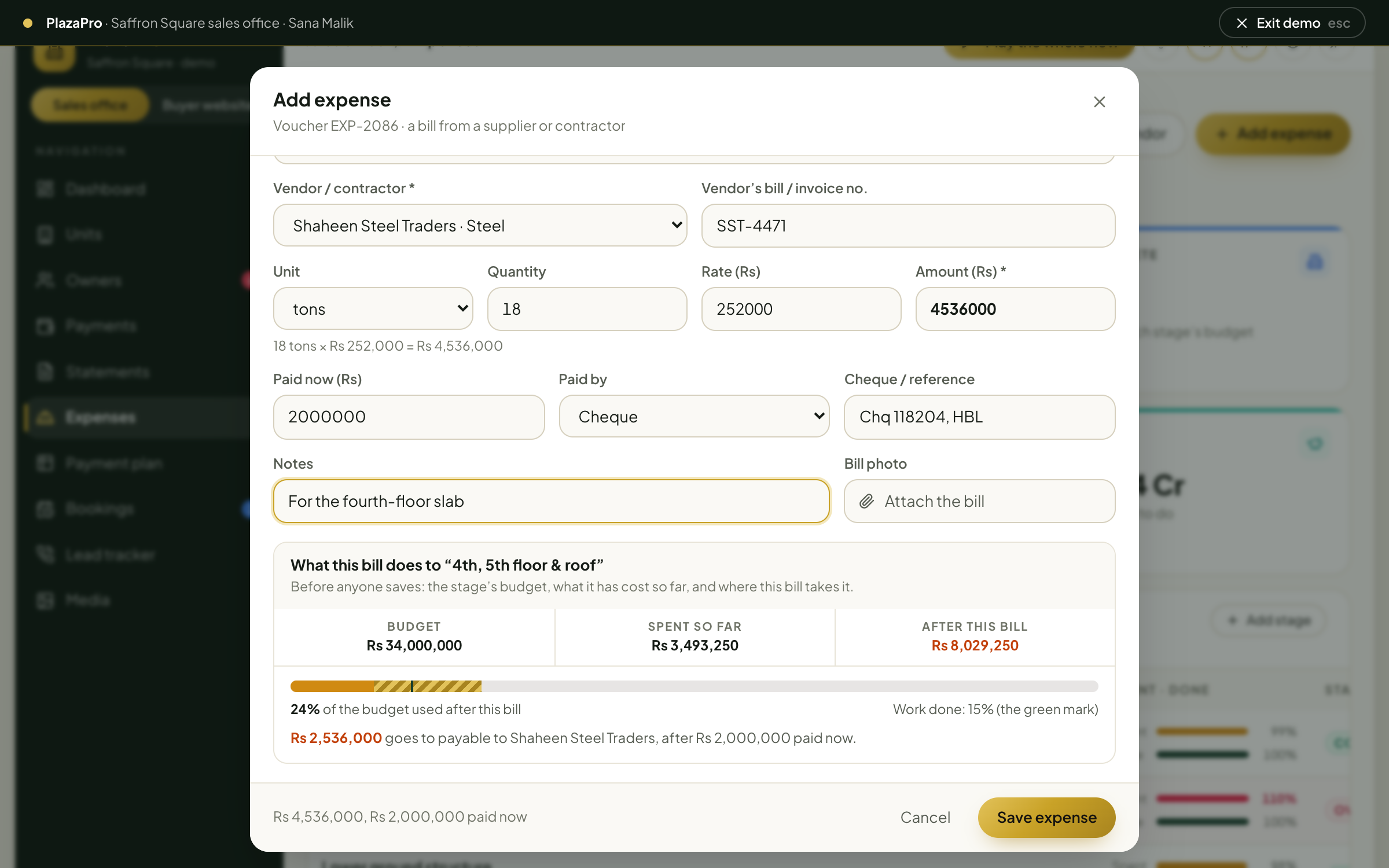
How it is built
Small enough for one sales office, complete enough to run a project.
One system, two faces
The sales office and the public website read the same records, so availability, prices and ownership never disagree.
Figures worked out, not typed
Paid, outstanding, overdue and advance are computed from receipts and schedules. A receipt is voided, never deleted.
Built for how plazas are sold here
Lakh and crore, CNIC-based clients, cheques and pay orders, quarterly plans, payment on possession, transfer letters.
Stack
Next.js and TypeScript, MongoDB, cloud media storage, printable PDF statements and letters, and a WhatsApp or SMS provider for reminders.
Questions
Before you ask.
- What is PlazaPro?
- PlazaPro is sales and installment management software for builders selling a commercial plaza, mall or tower on an installment plan. It keeps the unit inventory, the payment plan, owners and registrations, installment ledgers, receipts, statements, allotment and transfer letters, booking requests and leads, and runs the project’s buyer website from the same records.
- Is PlazaPro in use?
- Yes. It runs in production for One Capital Builders’ 7Sky Commercial Plaza in G-14 Markaz, Islamabad, both the sales office and the public site’s floor plan, booking and Verify Ownership pages.
- Can buyers check their installments online?
- Yes. Every allotment letter carries a registration number and a QR code. On the website’s Verify Ownership page the buyer sees their unit, how much they have paid and their installment schedule, as the sales office has recorded it.
- Does it send installment reminders?
- Yes. The dashboard lists every overdue installment and those due within 30 days. The office can send a WhatsApp or SMS reminder for one installment or for every overdue owner at once, through the provider it connects.
- Does it track construction costs?
- Yes. Each stage of the works has a budget, and every supplier and contractor bill is entered against a stage and floor with its quantity, rate and bill photo. The office sees budget against actual and work done for each stage, what is still payable to each vendor, and money collected from buyers against money paid out to the site.
- Is the demo real data?
- No. The demo runs the same workflow on an invented plaza, Saffron Square, with invented buyers. None of the live system’s records are used, and the demo’s state stays in your browser.
For builders and developers
Selling a plaza, a mall or a tower on installments? PlazaPro can be set up for your project, your floors and your payment plan.