Product demo · School management system
One system for the whole school: eight roles, every branch, every rupee.
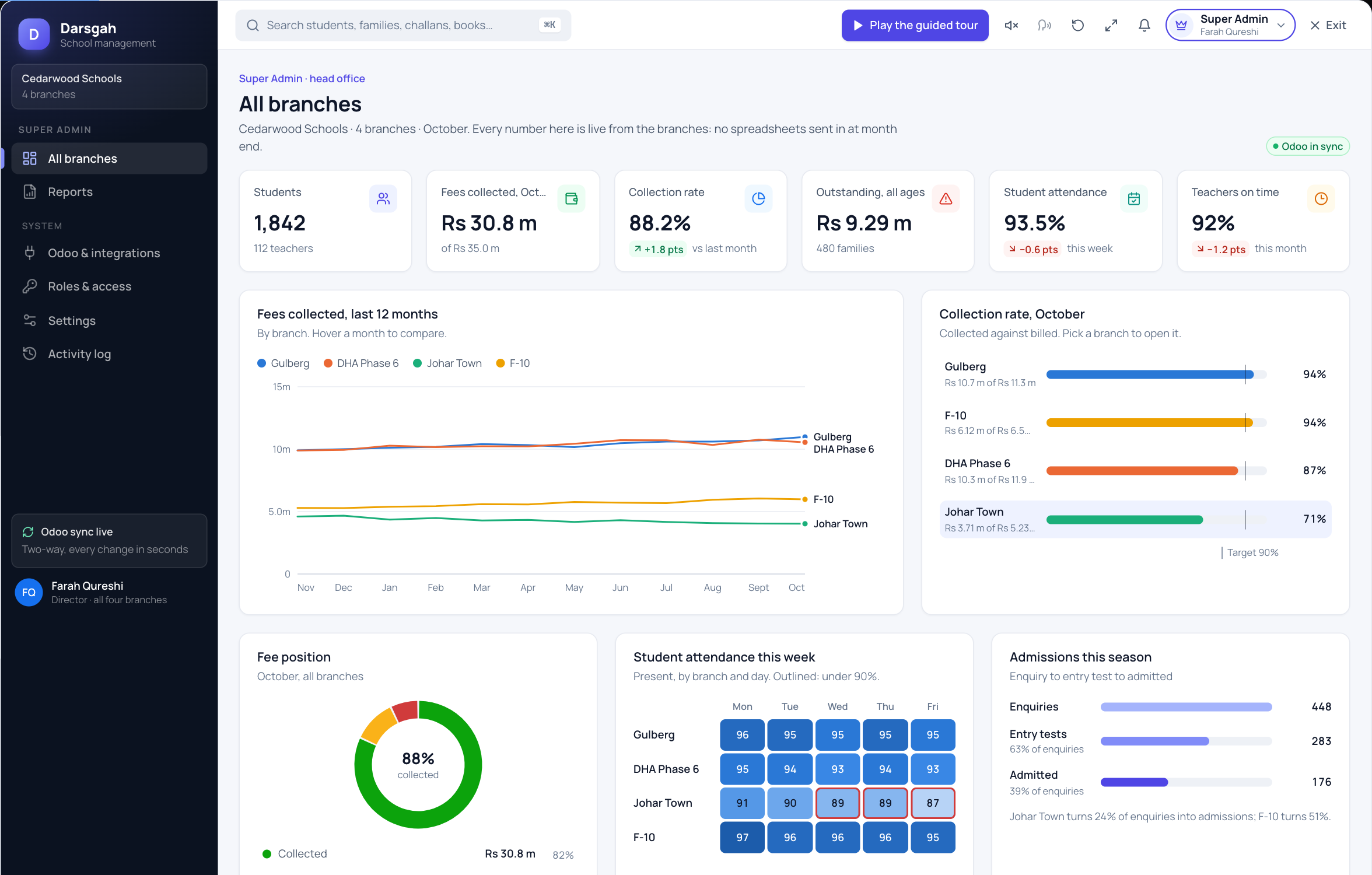
Darsgah is a complete school management system on its own. The Super Admin sees every branch, the Branch Head runs one, the Admin runs the school office, the Accountant the money and the Librarian the library, and teachers, parents and students each get their own screens and nothing else. It teaches online too: courses, online exams and live classes. Fee challans carry a signed barcode verified at the counter, staff check in by face or fingerprint, the school van is live on the parent’s phone, and every dashboard is a live chart. Already on Odoo? Move off it once, or keep it running beside Darsgah with a two-way sync.
Eight roles
Everyone gets the screens for their job, and only those.
One database, one set of rules, eight ways in. What a teacher saves is on the parent’s and the student’s phone a moment later; what a parent pays is on the accounts desk before they put the phone down.
Super Admin
The director, for every branch
- Revenue by branch, month by month
- Collection rate against target
- Attendance, results, punctuality, admissions
- The branch that needs a visit, and why
- Roles, fee rules, integrations, the activity log
Branch Head
The principal, for one branch
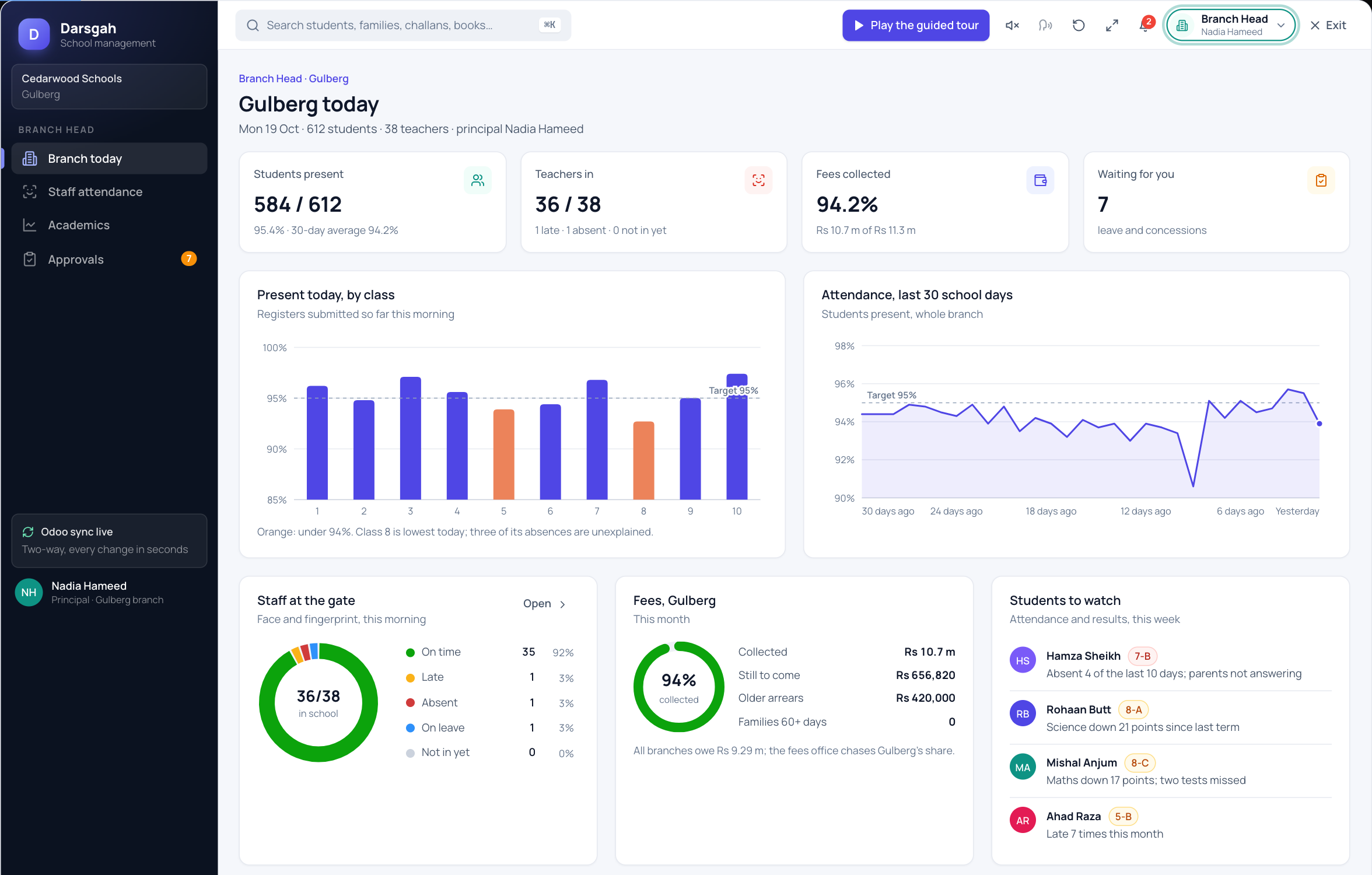
- Students present by class, teachers at the gate
- Face and fingerprint check-in, cover for no-shows
- Results by class, syllabus pace by subject
- Students to watch this week
- Leave and concession approvals
Admin
The school office
- Admissions board and an online form
- Student directory, search and Excel import
- Front office: visitors, calls, post, complaints
- Timetable builder that refuses clashes
- Exams, marksheets, promotion, ID cards, certificates
- Transport, hostel, inventory, notices and events
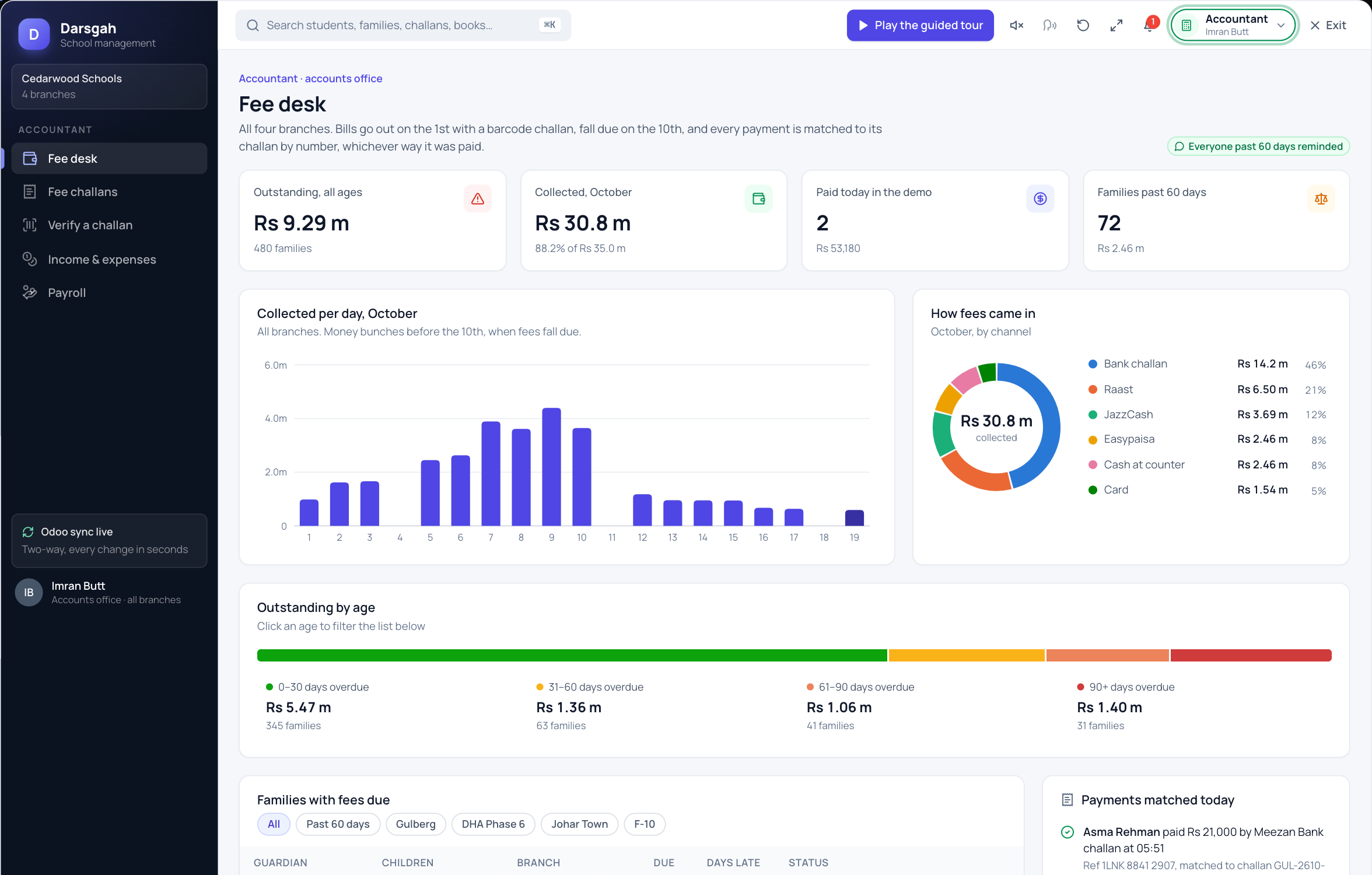
Accountant
The money, for every branch
- Barcode challans for every family in one press
- Paper challans verified at the counter
- Payments matched by challan number
- Reminders by age on WhatsApp and SMS
- Income and expenses, payroll from the gate
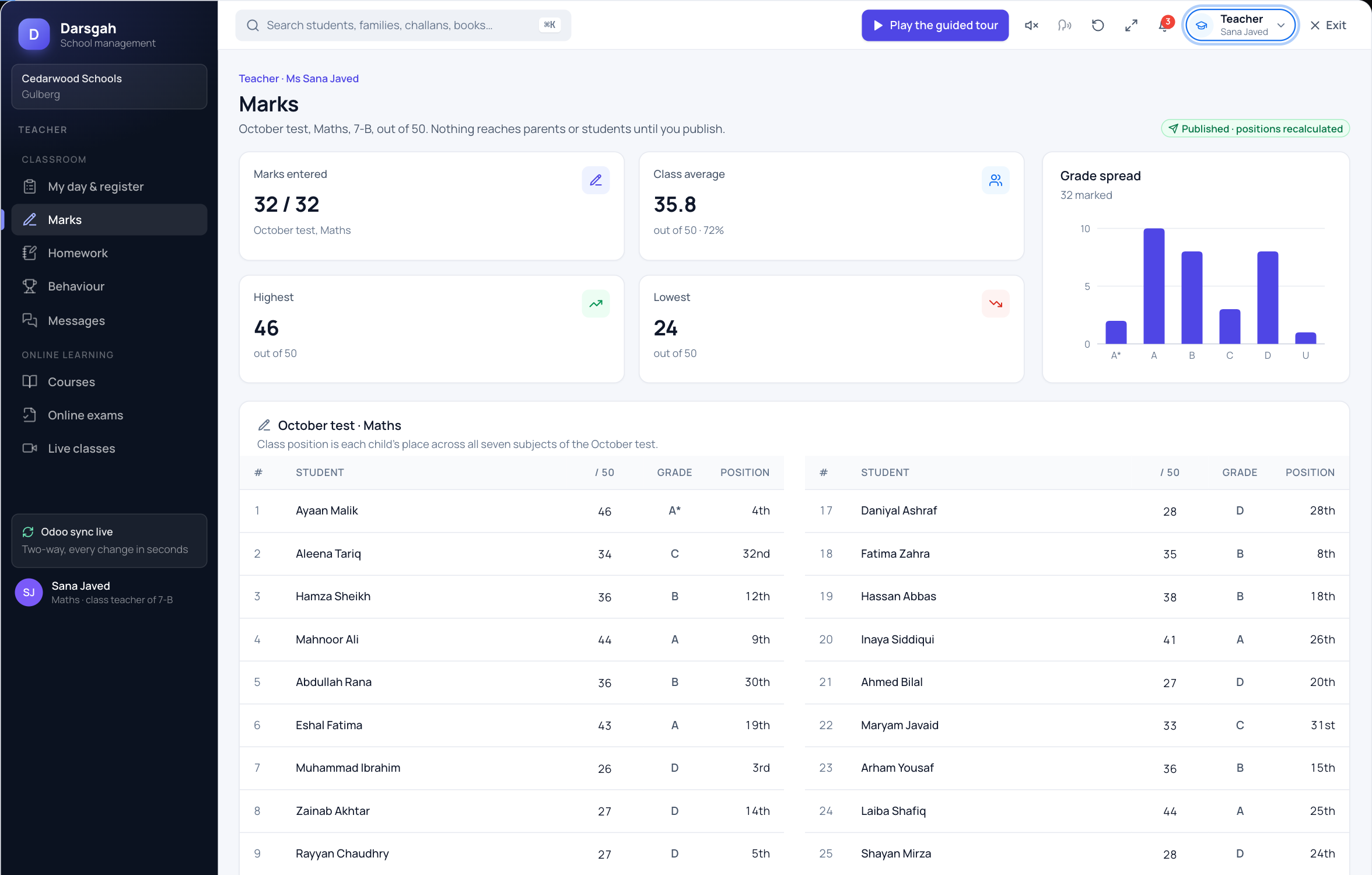
Teacher
Their own classes only
- The register in twenty seconds
- Marks from their own Excel sheet
- Homework, behaviour notes, parent messages
- Courses, online exams marked by themselves
- Live classes with recordings
Librarian
The library
- Issue and return by barcode
- Fines added to the next challan
- One reminder for every overdue book
- A digital library of PDFs
- Issues by month on a chart
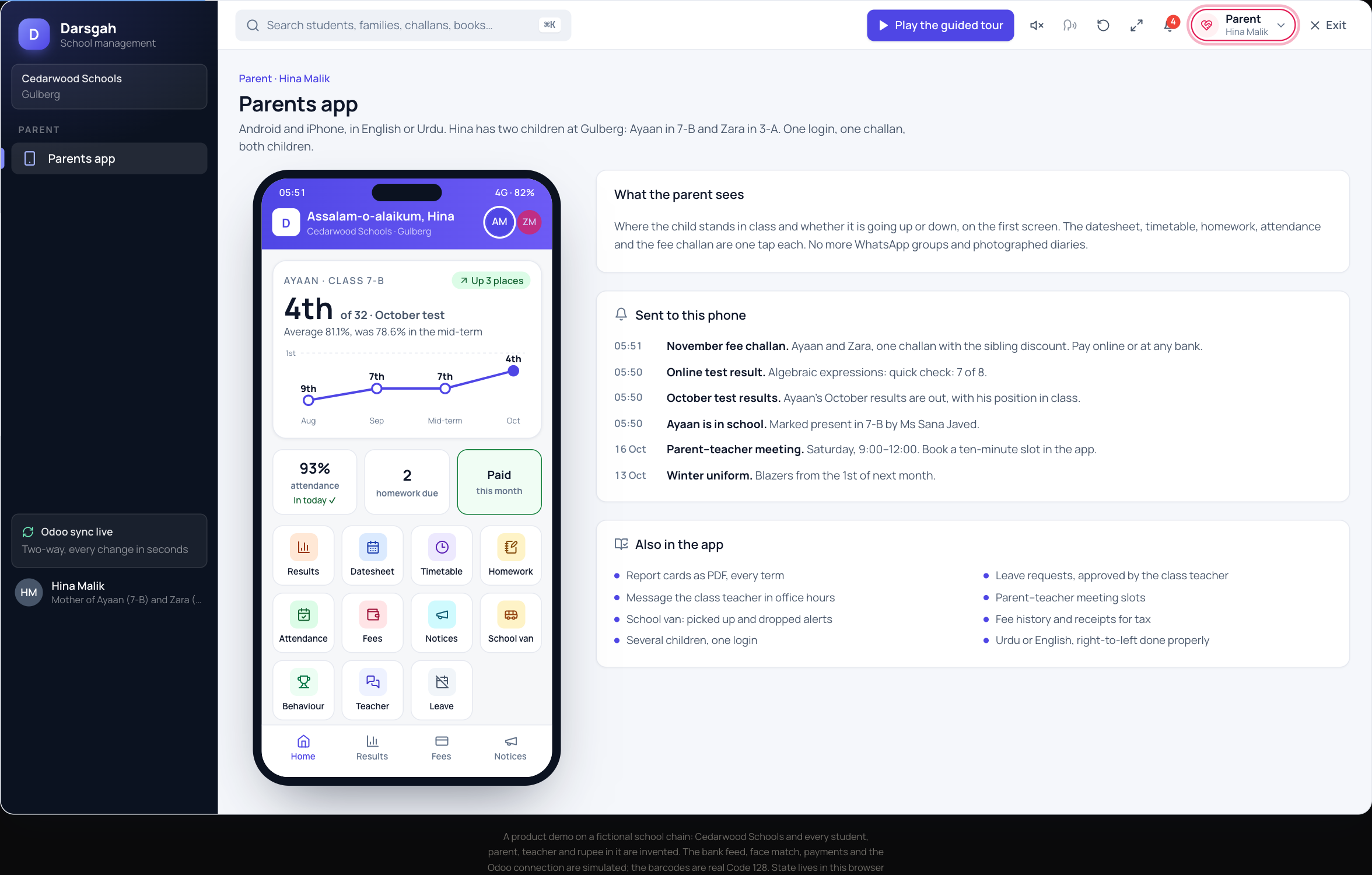
Parent
Their own children only, in an app
- Position in class and its direction
- The school van, live on a map
- Messages to the teacher, leave requests
- One challan for all their children, paid in two taps
- An alert the minute the register is in
Student
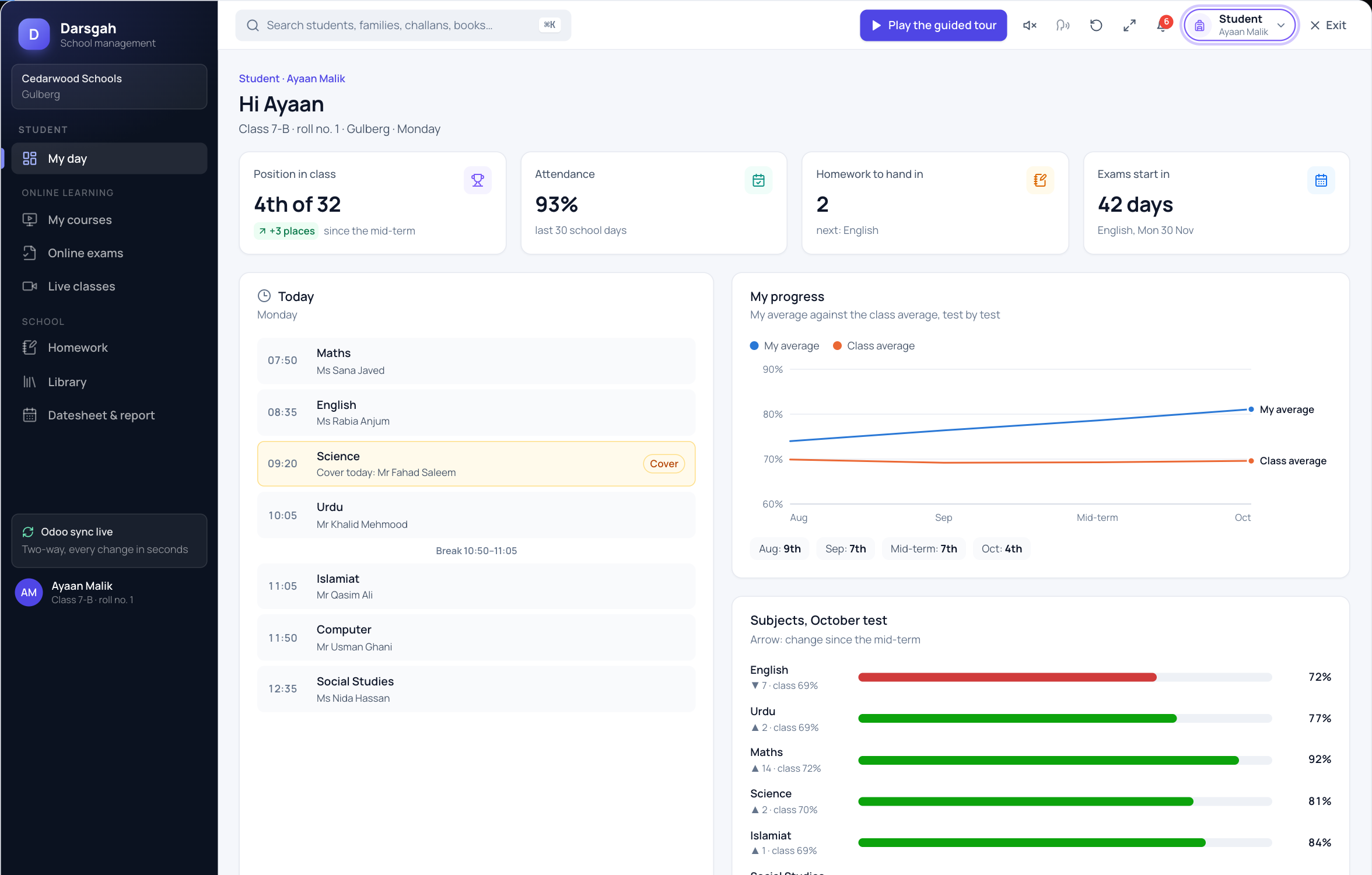
Their own day, on the web or the app
- Today’s timetable, cover included
- Courses with videos, slides and worksheets
- Online tests, marked at once
- Live classes, joined in one press
- Homework, library books, datesheet and report
Online learning
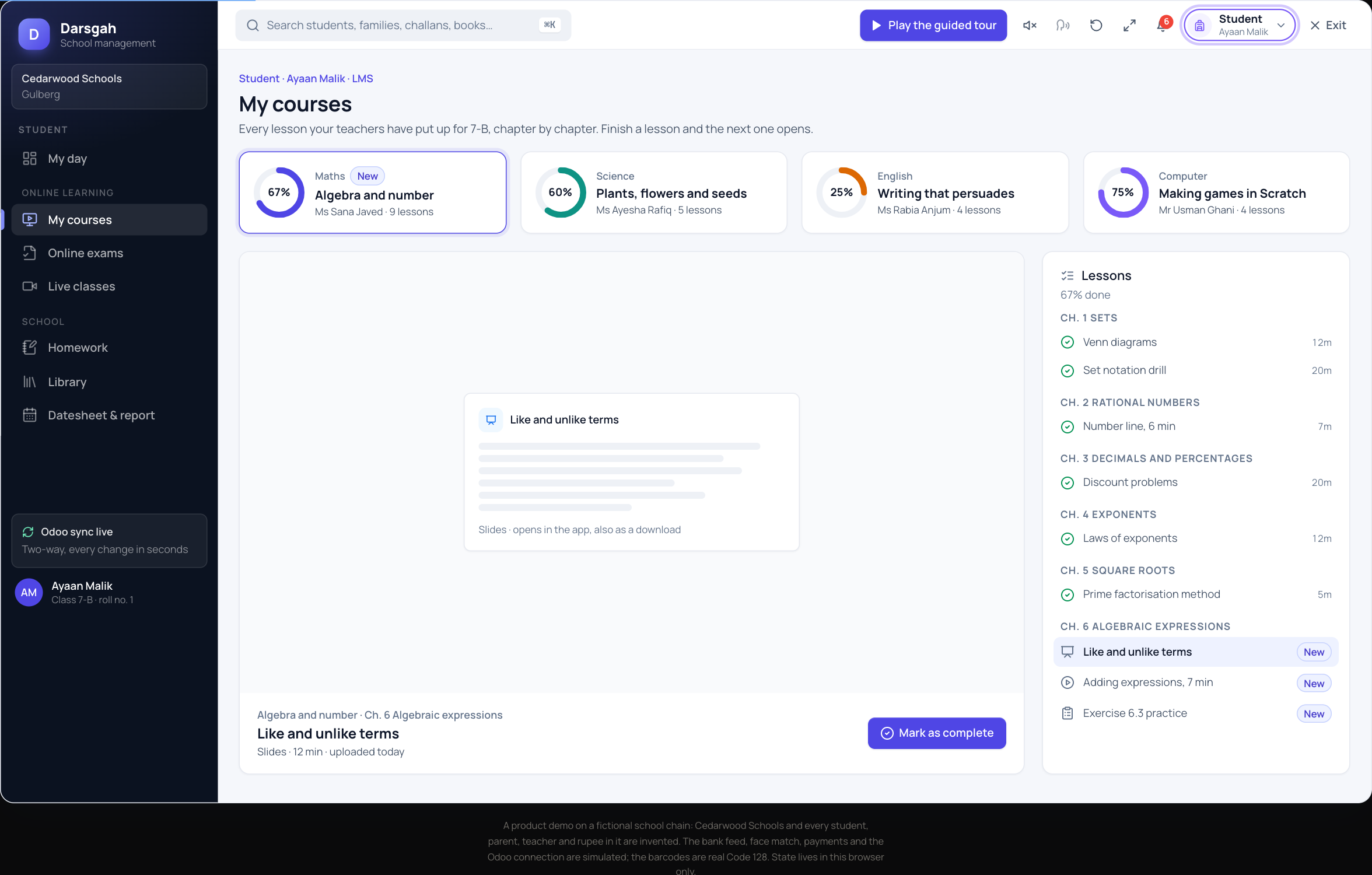
A learning platform inside the school system.
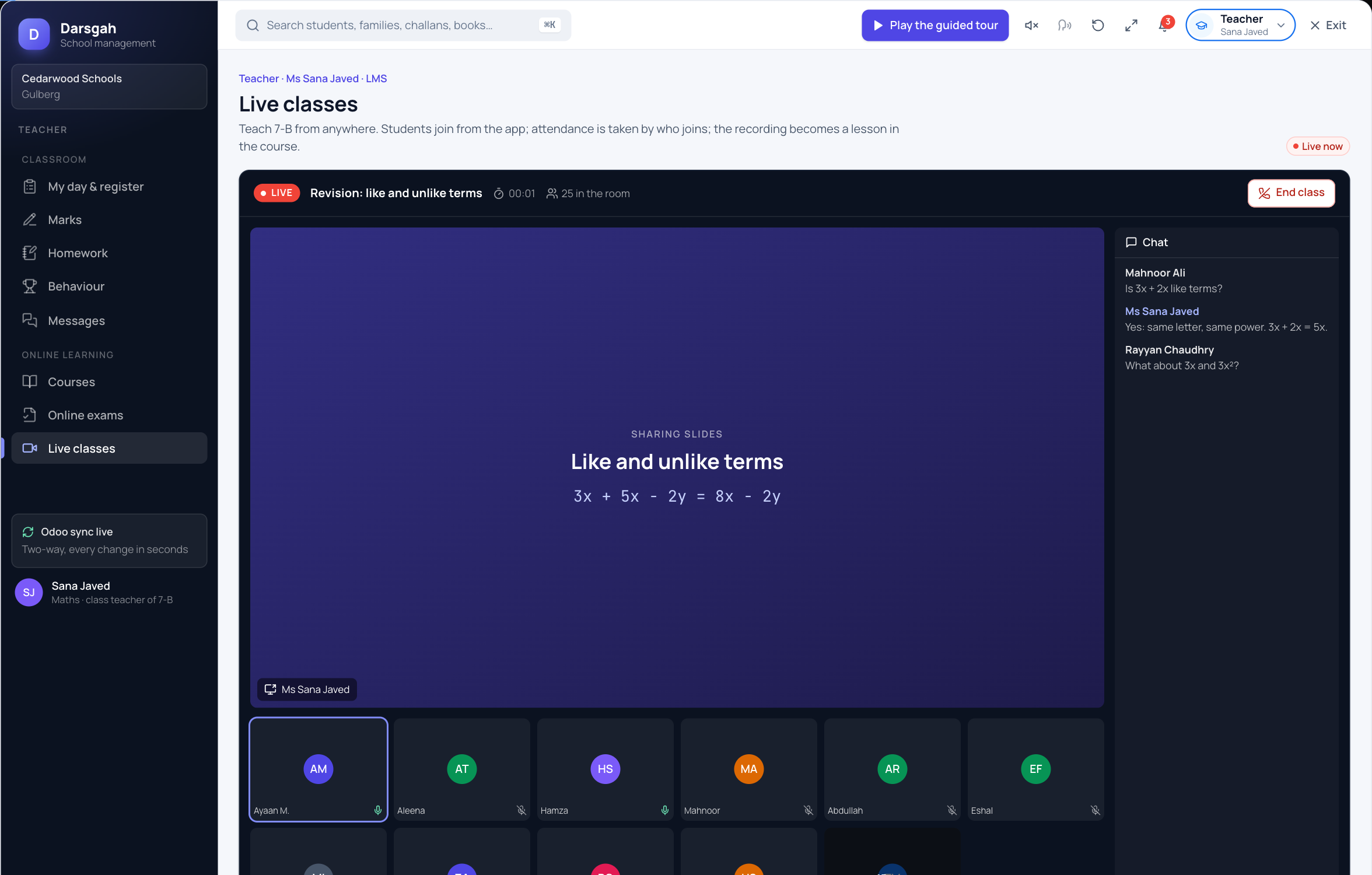
Teachers build courses from the syllabus they already teach: videos, slides, worksheets and live-class recordings, lesson by lesson. Online tests mark themselves. Live classes run inside Darsgah or on Zoom or Google Meet, attendance is taken by who joins, and the recording becomes a lesson. Students see their progress course by course; parents and the branch head see it too.
The school office
Admissions to promotion, vans to stores, in one office.
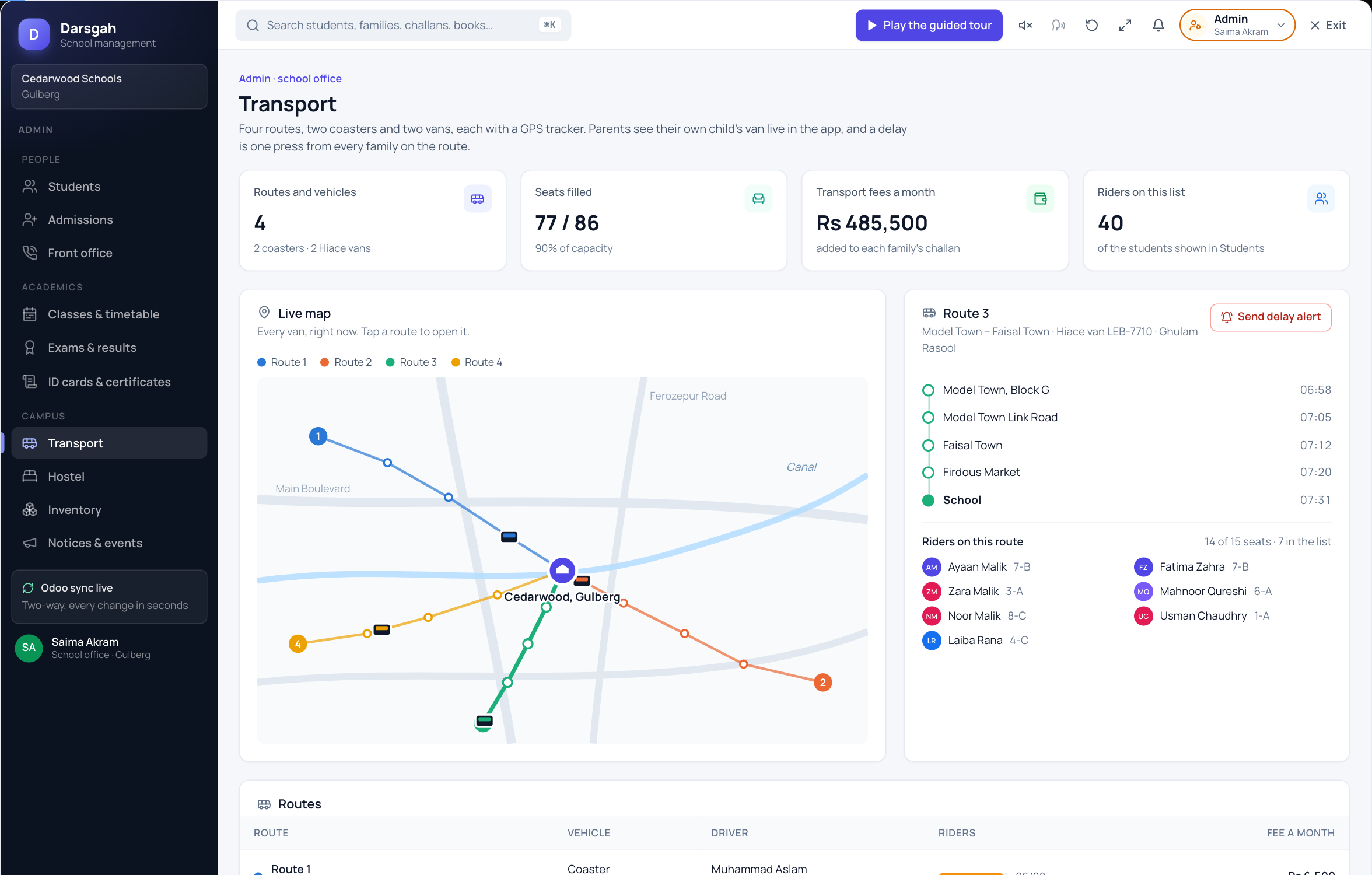
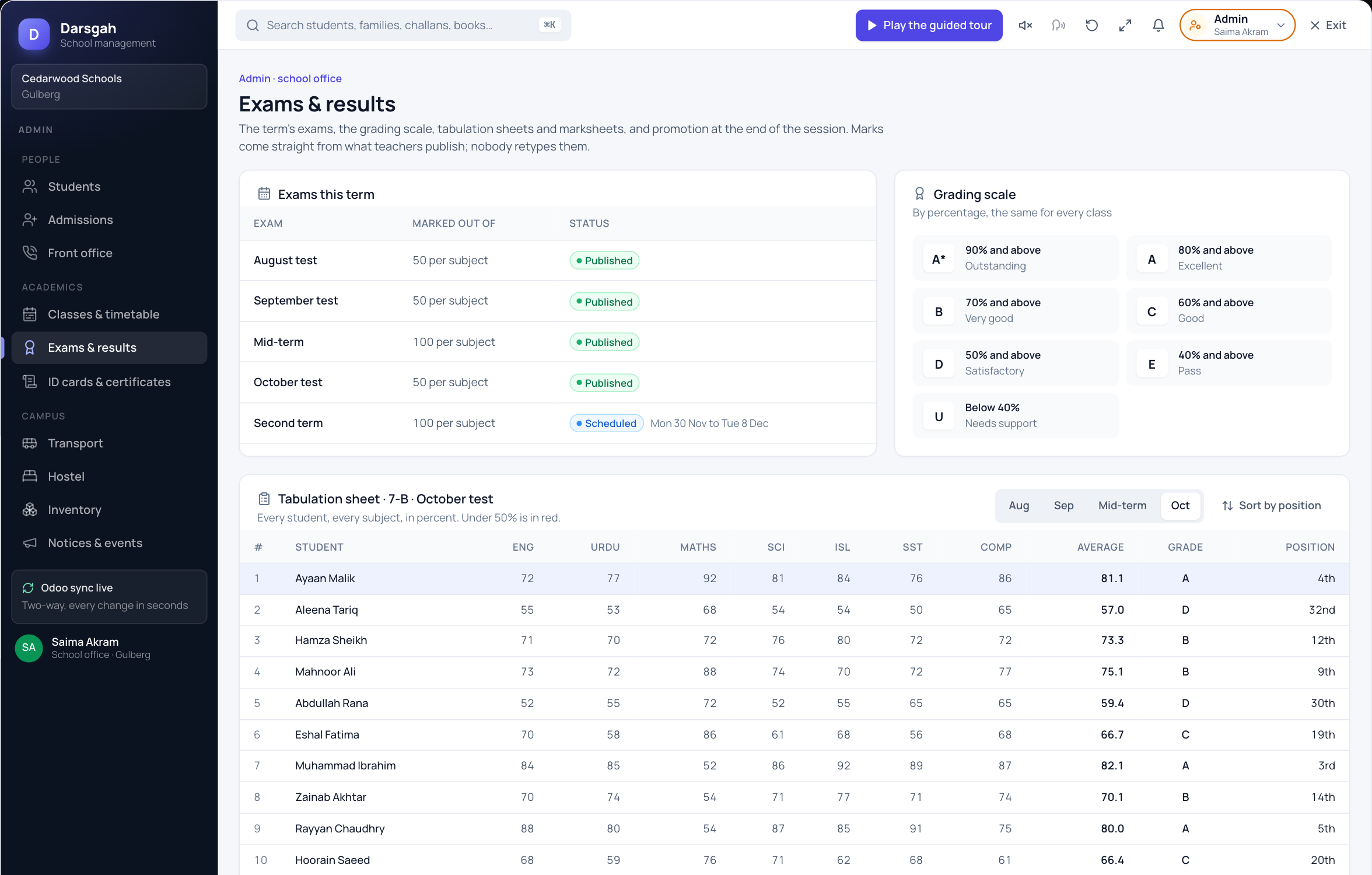
The Admin runs the school day behind the classrooms: the admissions board and online form, the student directory with Excel import, the front desk, a timetable that refuses a teacher’s clash, exams with tabulation sheets and marksheets, ID cards and certificates, transport with every van live on the map, the hostel, the stores and the noticeboard.
Barcode fee challans
Every challan signed, every payment checked.
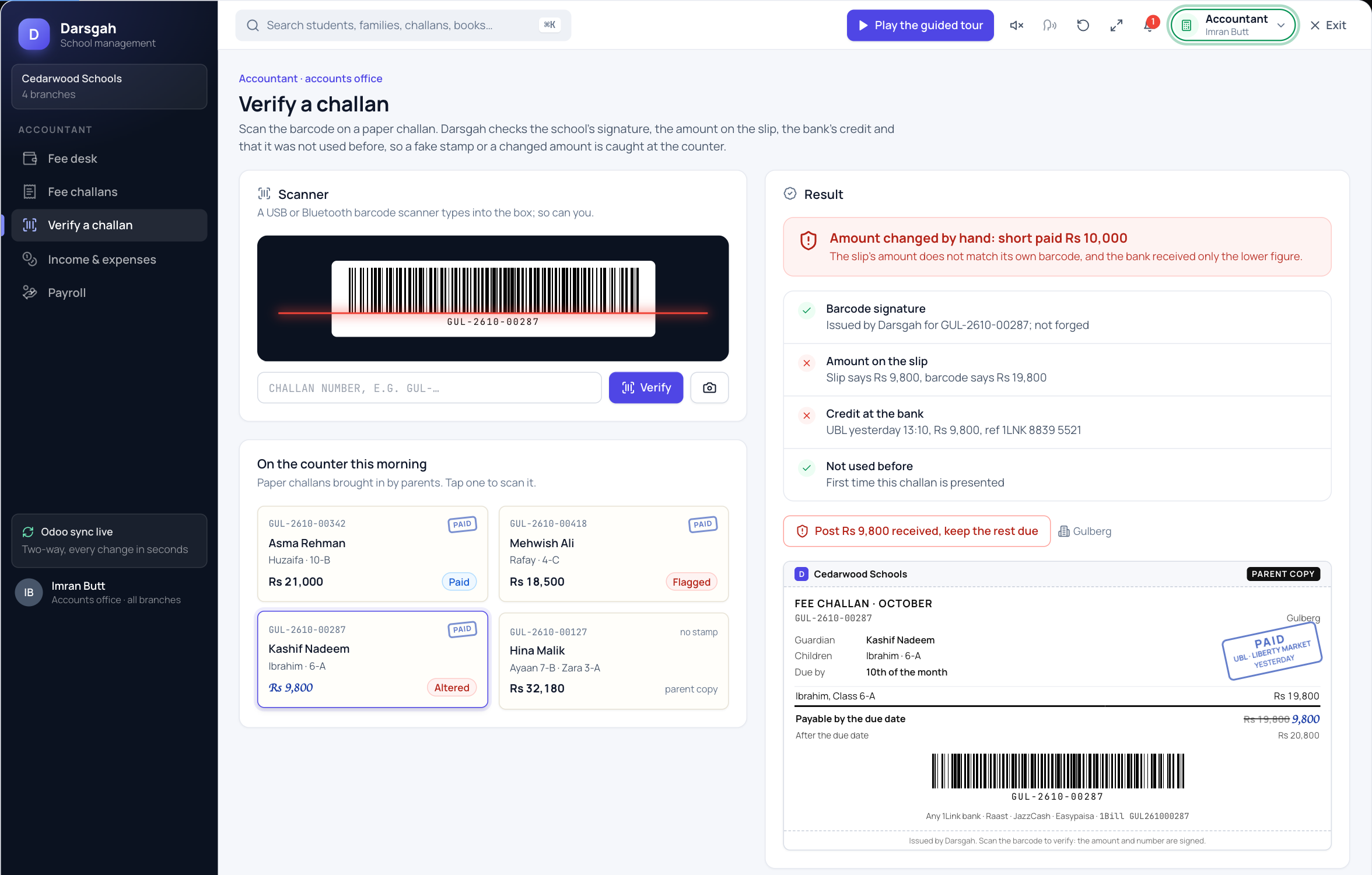
One challan per family, siblings combined, discounts applied, generated for the whole chain in one press and sent to the parents app and WhatsApp. Its Code 128 barcode carries the challan number, the billed amount and the school’s signature, so a paper copy brought to the counter is checked in one scan.
- 01
Genuine
The barcode is the school’s, the amount on the slip matches it, and the bank or 1Link credit has arrived. One press posts it.
- 02
Fake bank stamp
The challan is real but no bank and no 1Link credit exists for it. A stamp is easy to fake; a bank credit is not.
- 03
Amount changed by hand
The slip no longer matches its own barcode, which carries the billed amount and a signature. What did reach the bank is posted; the rest stays due.
- 04
Already paid
The challan was settled earlier, in the app or at another counter. The copy in hand needs nothing.
A USB or Bluetooth barcode scanner types into the desk like a keyboard; where the browser supports it, the camera reads the barcode too. Payments by Raast, JazzCash, Easypaisa, card and 1Link are matched to their challan automatically.
Already on Odoo?
Standalone by design. Odoo only if you want it.
Darsgah needs no other software to run. Odoo is a strong general ERP, and a school already on it has two choices: move off it once, or keep it for Accounting and HR and let Darsgah run the school day beside it.
Option 1
Move off Odoo
- 01
Connect read-only
A read-only API key on your Odoo (Online, Odoo.sh or your own server). Nothing in Odoo can be changed. A database dump or CSV exports work too.
- 02
Scan and map
Every OpenEduCat and Odoo model counted and matched to Darsgah by name and type; fields that do not match are mapped once, by hand.
- 03
Dry run
Duplicates, guardians without a phone, draft invoices and sections without a teacher, each with a proposed decision. Fee balances checked to the rupee.
- 04
Import, then switch off
Students, families, staff, classes, timetable, attendance history, exams, the fee ledger, homework and admissions. Keep Odoo as a read-only archive if you like.
Option 2
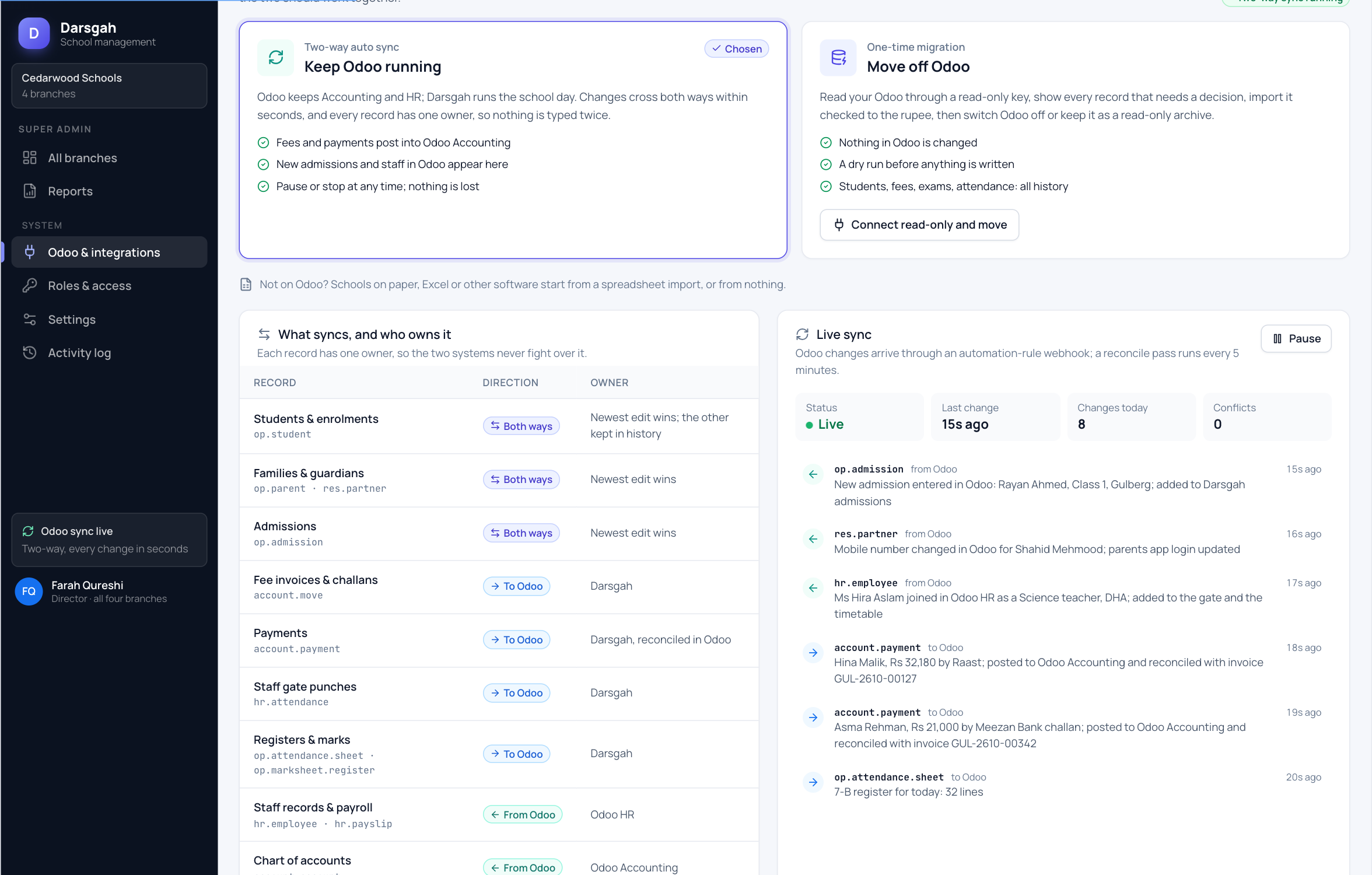
Keep Odoo running, in sync
Changes in Odoo arrive within seconds through an automation-rule webhook, and a reconcile pass every five minutes catches anything missed. Every record has one owner, so the two never fight over it.
| Record | Direction | Owner |
|---|---|---|
| Students, families, admissions | Both ways | Newest edit wins; the other is kept in history |
| Fee invoices, challans, payments | To Odoo | Darsgah; reconciled in Odoo Accounting |
| Staff gate punches | To Odoo | Darsgah, into hr.attendance |
| Registers and marks | To Odoo | Darsgah |
| Staff records and payroll | From Odoo | Odoo HR |
| Chart of accounts | From Odoo | Odoo Accounting |
The guided tour
One school day, performed for you, through all eight roles.
Thirty-seven steps: the director’s dashboard; teachers checked in by face and fingerprint with cover found for a no-show; a child admitted, certificates issued and the vans on the map; the register, the marks, a course lesson, an online test and a live class; the student learning online; a parent tracking the van and paying the challan; challans checked at the counter, one with a fake bank stamp, and payroll from the gate; a library book issued; and Odoo kept in sync. Every step performs the real action and reads itself aloud unless you turn that off.
Everything else
Everything else a school runs on, already in the demo.
- Admissions board, entry tests and an online admission form
- Student directory, universal search and Excel or CSV import
- Front office: visitor book, call log, post, complaints
- Student check-in by the QR code on the ID card
- Timetable builder that refuses a teacher’s clash
- Tabulation sheets, marksheets and end-of-session promotion
- ID cards and certificates with verifiable barcodes
- Library: issue and return by barcode, fines, digital books
- Transport routes with the van live on the parent’s phone
- Hostel rooms, beds and the mess menu
- Inventory: stores, stock levels, issues, reorders
- Noticeboard, events calendar and the school website
- Behaviour records with points parents can see
- Teacher–parent messages and leave requests
- Income and expenses with approvals; payroll from the gate
- Reports centre with CSV export of every list
- Sessions, grading, Urdu right to left, two-factor sign-in
- Export all of the school’s data at any time
Trust
Children’s data and the school’s money, handled like it.
A parent sees only their own children.
Every screen is filtered by role and branch on the server, not hidden in the browser. The roles page shows exactly who can do what.
Challans cannot be quietly changed.
The barcode carries the challan number, the billed amount and a signature only the school’s server can make, and every credit is matched to a bank or 1Link record.
Biometrics stay templates.
Face and fingerprint are stored as encrypted templates; the snapshot of each punch is kept for a set number of days, then deleted.
Every change is logged.
Who marked, published, collected, verified, waived or approved what, and when. The log cannot be edited by anyone.
Rollout
A month from sign-up to the parents’ phones.
Set up and bring the data
Branches, classes, fee rules and the eight roles. Data from Odoo (with a dry run first), from Excel, or typed in for a new school.
One branch live
Teachers on the register and marks, parents and students invited to the apps, the gate tablet and challans live. If Odoo stays, the sync is switched on here.
The rest, branch by branch
Each branch switches when its staff are ready. Odoo can keep Accounting and HR for as long as you want, or be switched off.
About this demo
What you are looking at.
- This page shows a working demo of Darsgah on Cedarwood Schools, a fictional chain. Every student, parent, teacher, branch and rupee in it is invented.
- In the demo the bank feed, the face match, the payments, the van positions, the live-class video and the Odoo connection are simulated. The barcodes are real Code 128 that any scanner reads, and the Odoo model names are the real OpenEduCat ones.
- The demo keeps its state in your browser only, and nothing you do in it leaves the browser.